Your servers in one place
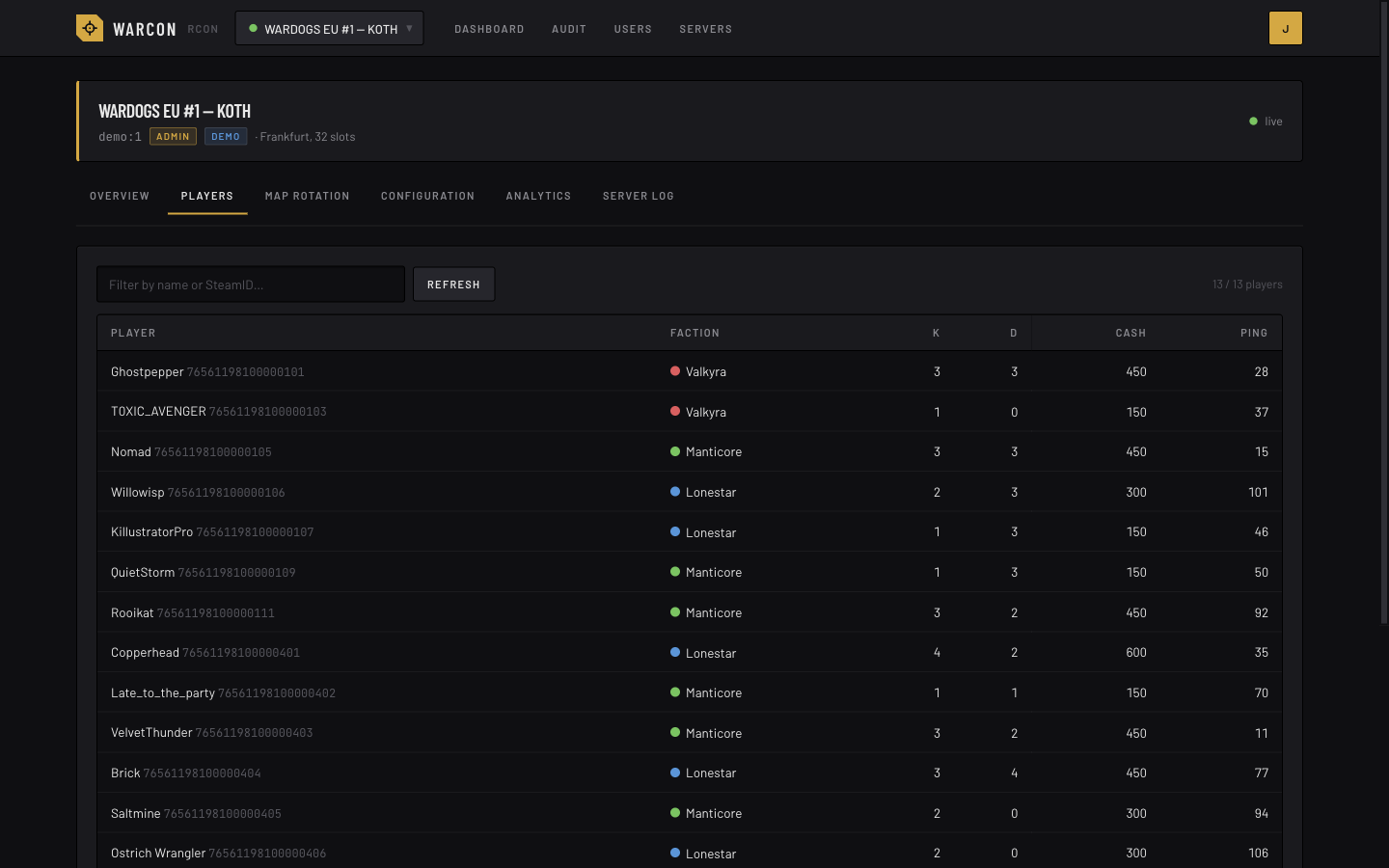
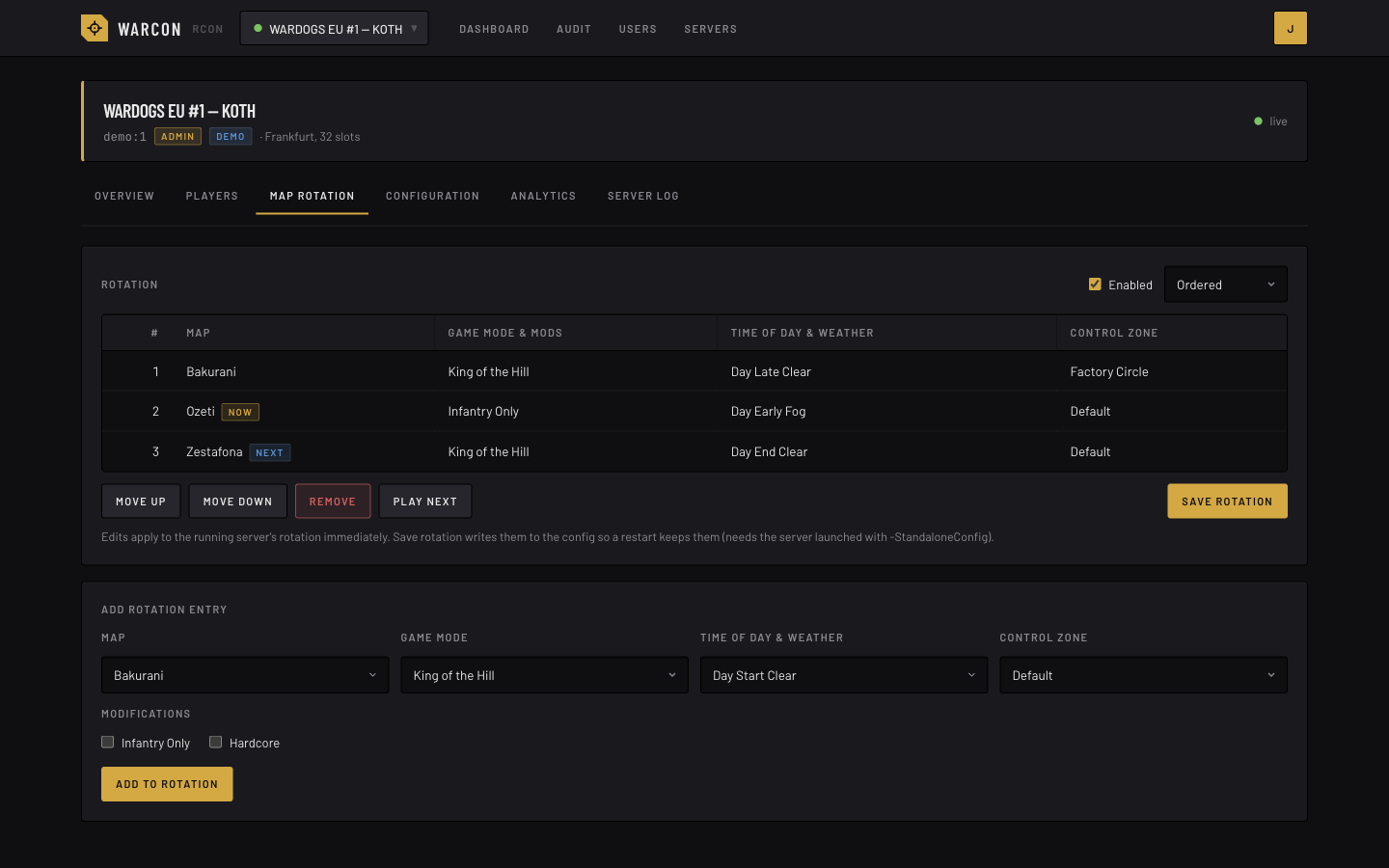
Add each WARDOGS server you run, each with its own encrypted RCON password. A worker process watches them, and pages update live while you have them open.
Warcon is a self-hosted panel for WARDOGS dedicated servers. Run your servers from one place, give each admin their own login and role, and keep a record of what happens. The RCON password stays encrypted on the server, so your admins never need to see it.
Use it at console.warcon.app, or run your own copy with docker compose up. It is the same open source panel either way.
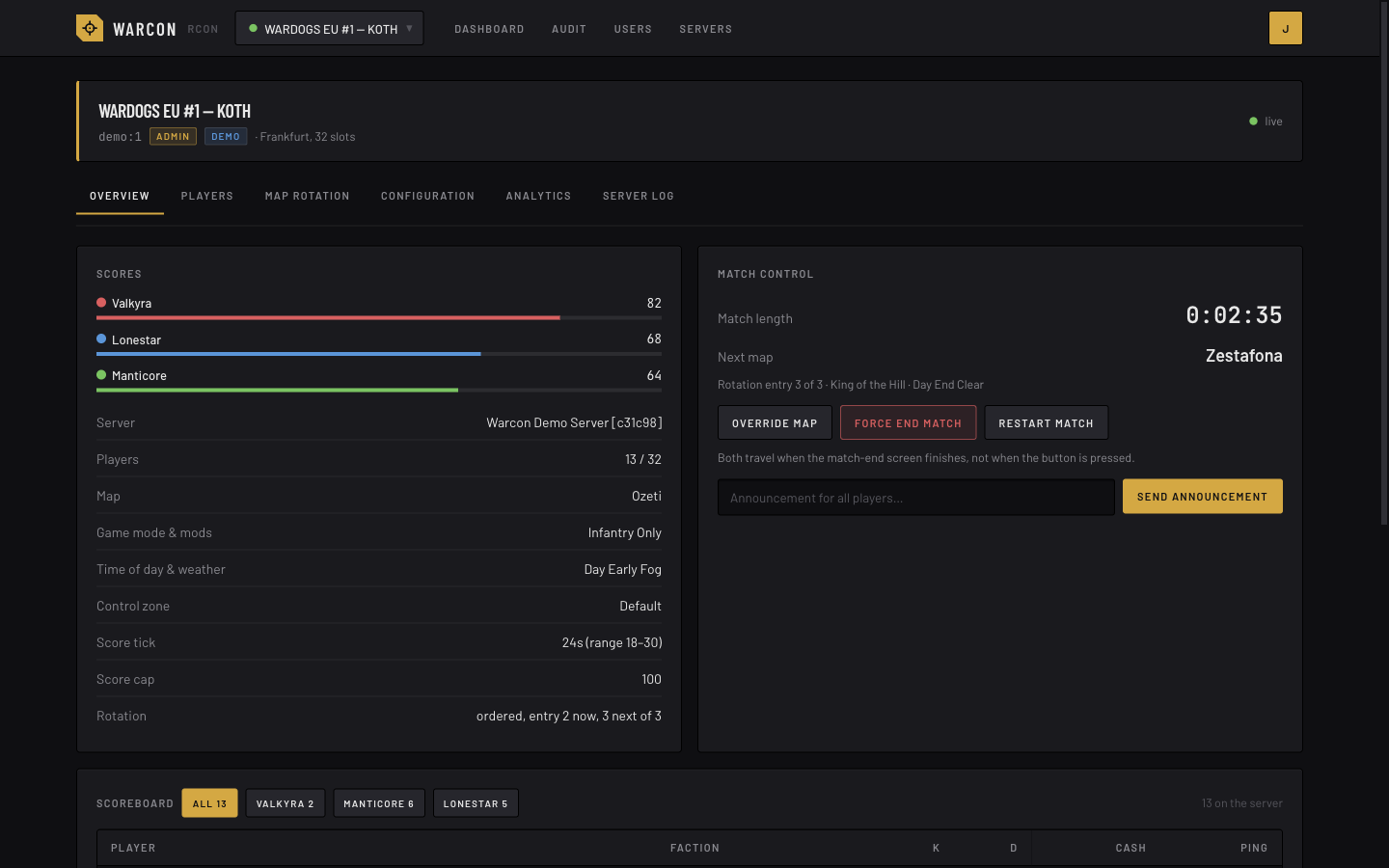
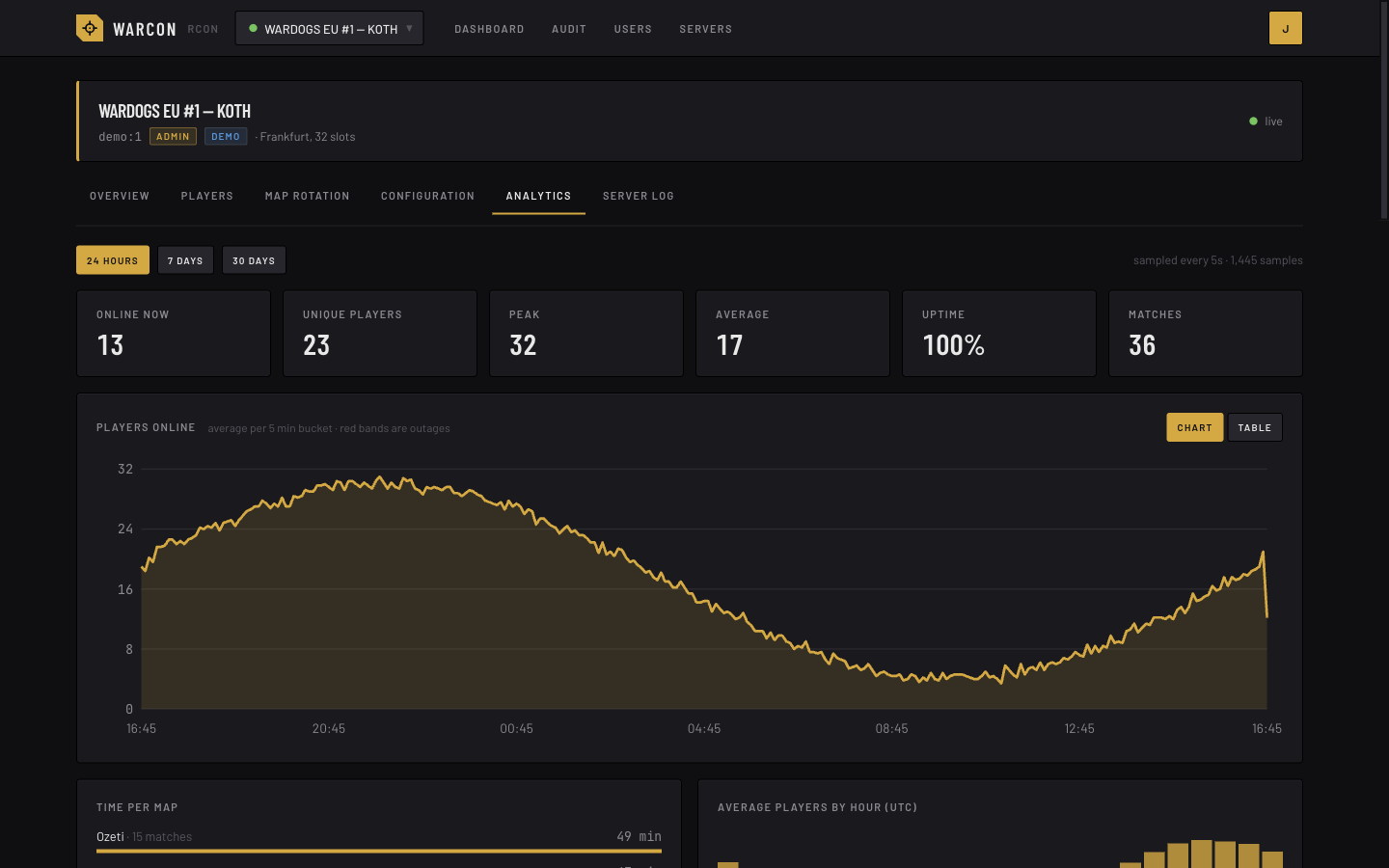
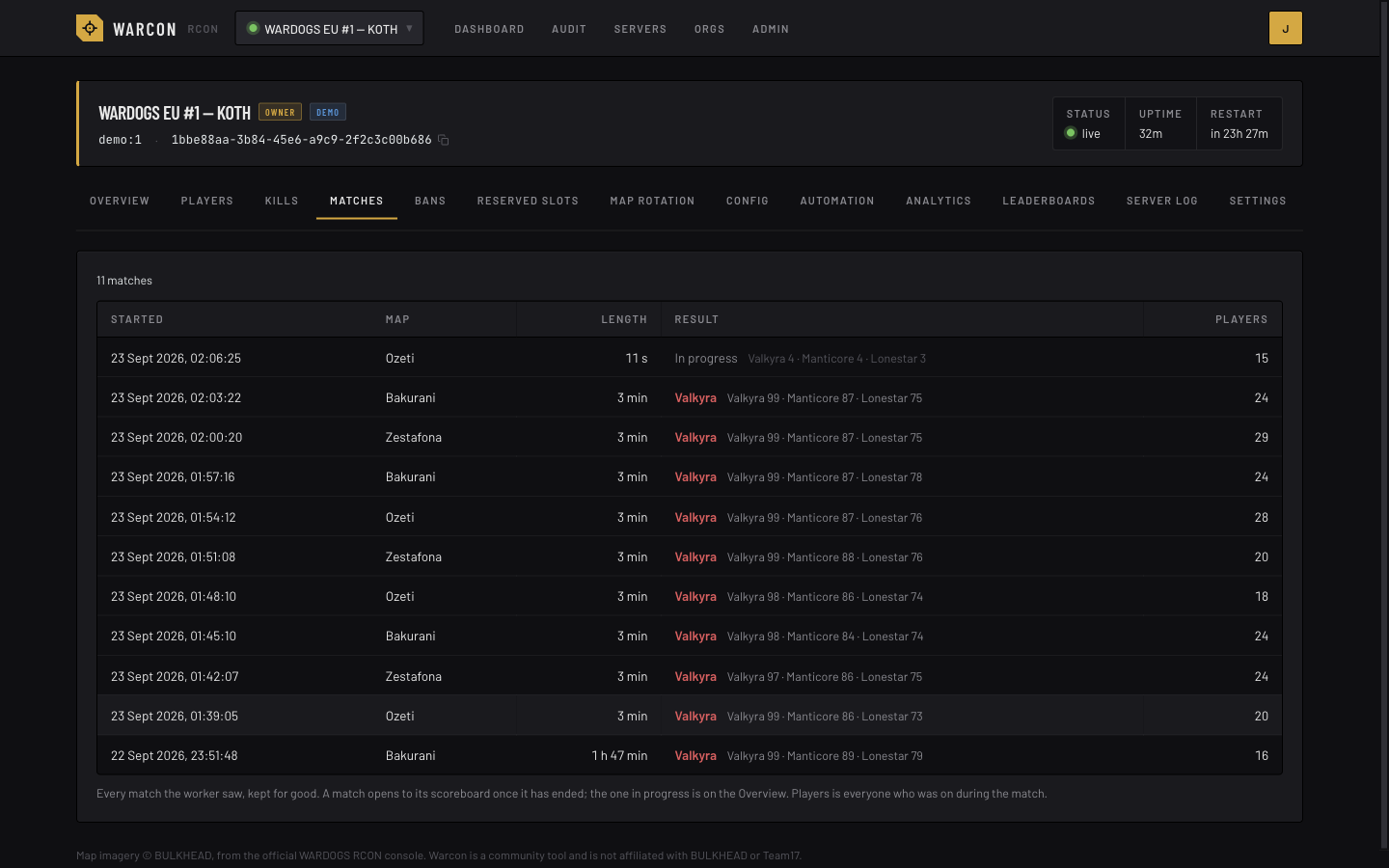
Taken against the built-in demo server, so the numbers are synthetic.
The official web console calls the game server straight from the browser over plain HTTP. That means it cannot be served over HTTPS, and every admin needs the RCON password.
Warcon makes those calls from the server side. The password is stored encrypted with AES-GCM, admins sign in with their own accounts, and each action is checked against their role first.
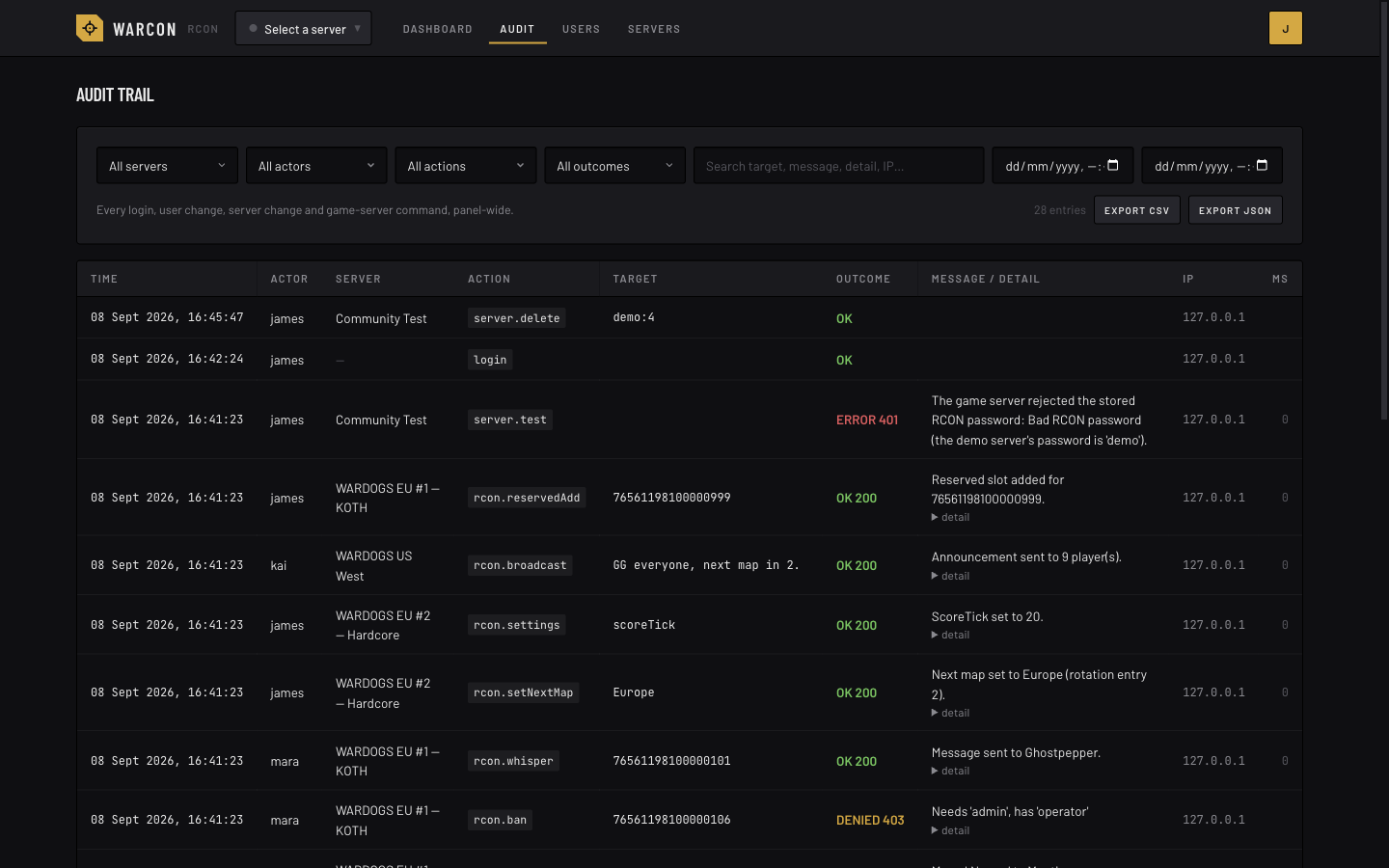
An audit row is written before the reply goes back: who did what, on which server, to whom, and whether the game accepted it.
Add each WARDOGS server you run, each with its own encrypted RCON password. A worker process watches them, and pages update live while you have them open.
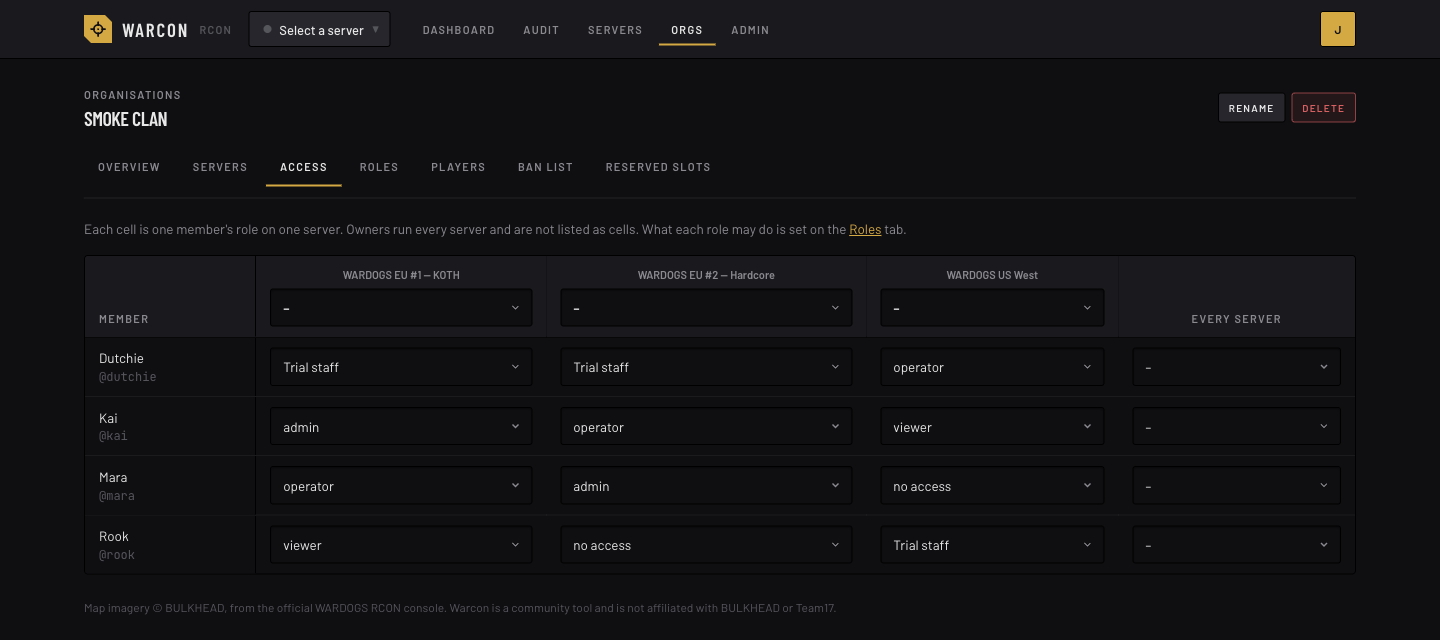
Each clan or community is an organisation with its own servers and members. Invite links sign people in with Discord or Steam, and passkeys and authenticator apps are supported. Roles are per server, and you can edit them or add your own.
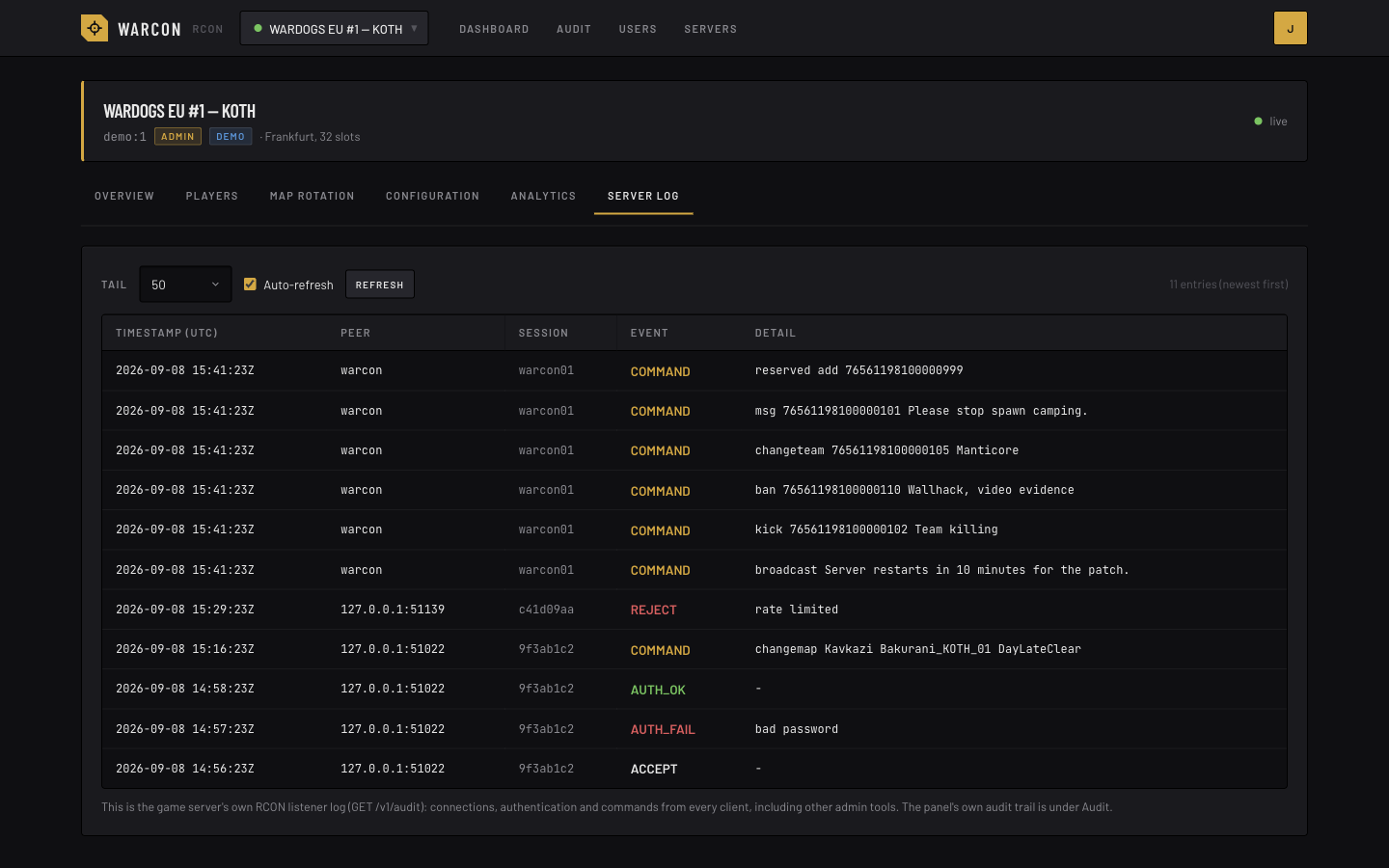
Logins, user and server changes, and game commands, with who did it, the target, the outcome and how long it took. Filter it, export it as CSV or JSON, and read the game server’s own log beside it.
The game keeps little history, so the worker records it: players online over time, uptime, time per map, busiest hours, sessions and playtime, and each match with its scoreboard. Leaderboards can be made public per server.
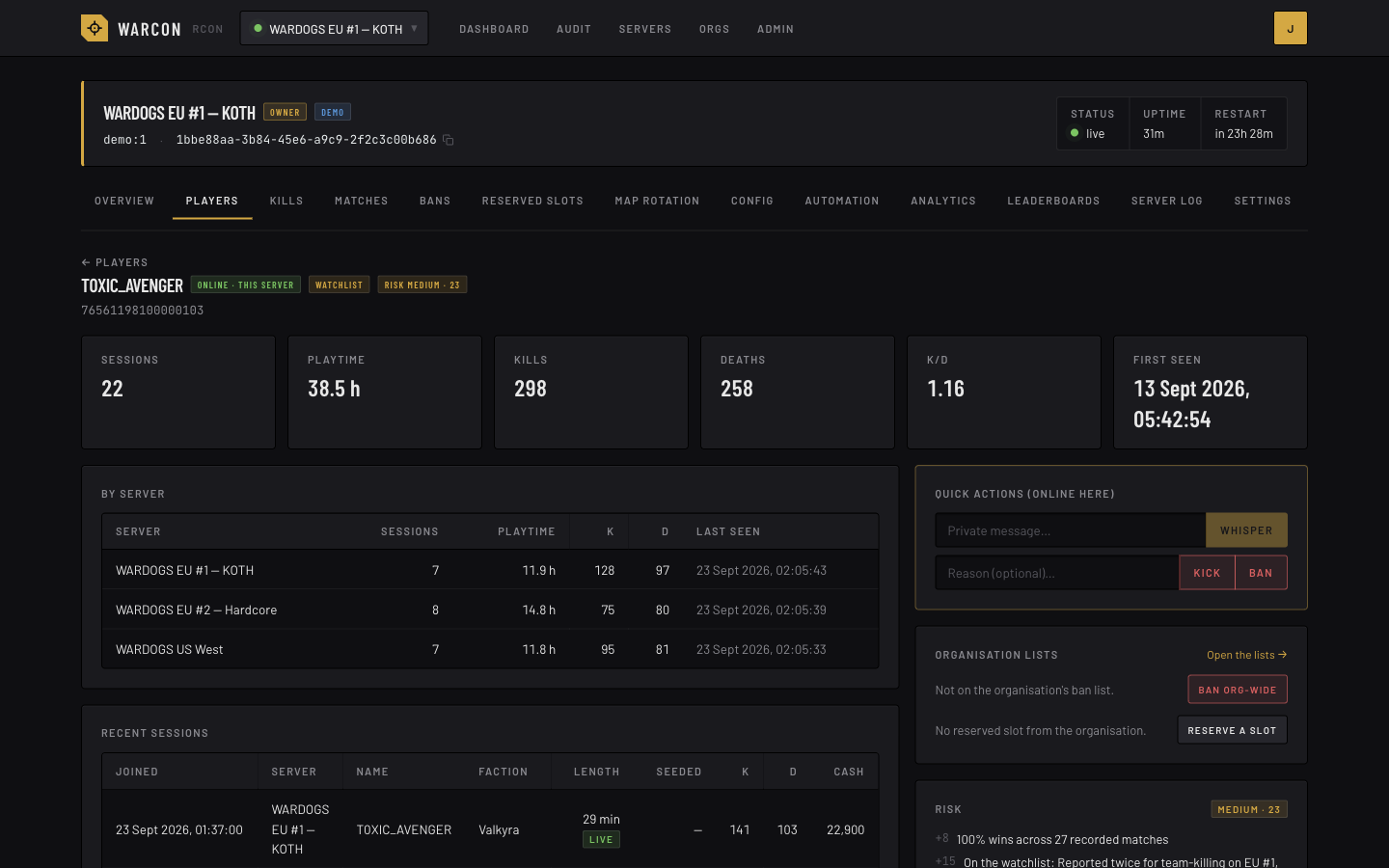
Open a player to see their sessions, the names they have used and the actions taken on them across your servers, with shared notes and a watchlist. The optional risk score is only a hint: RCON shows no aim, position or input, so it cannot detect cheating.
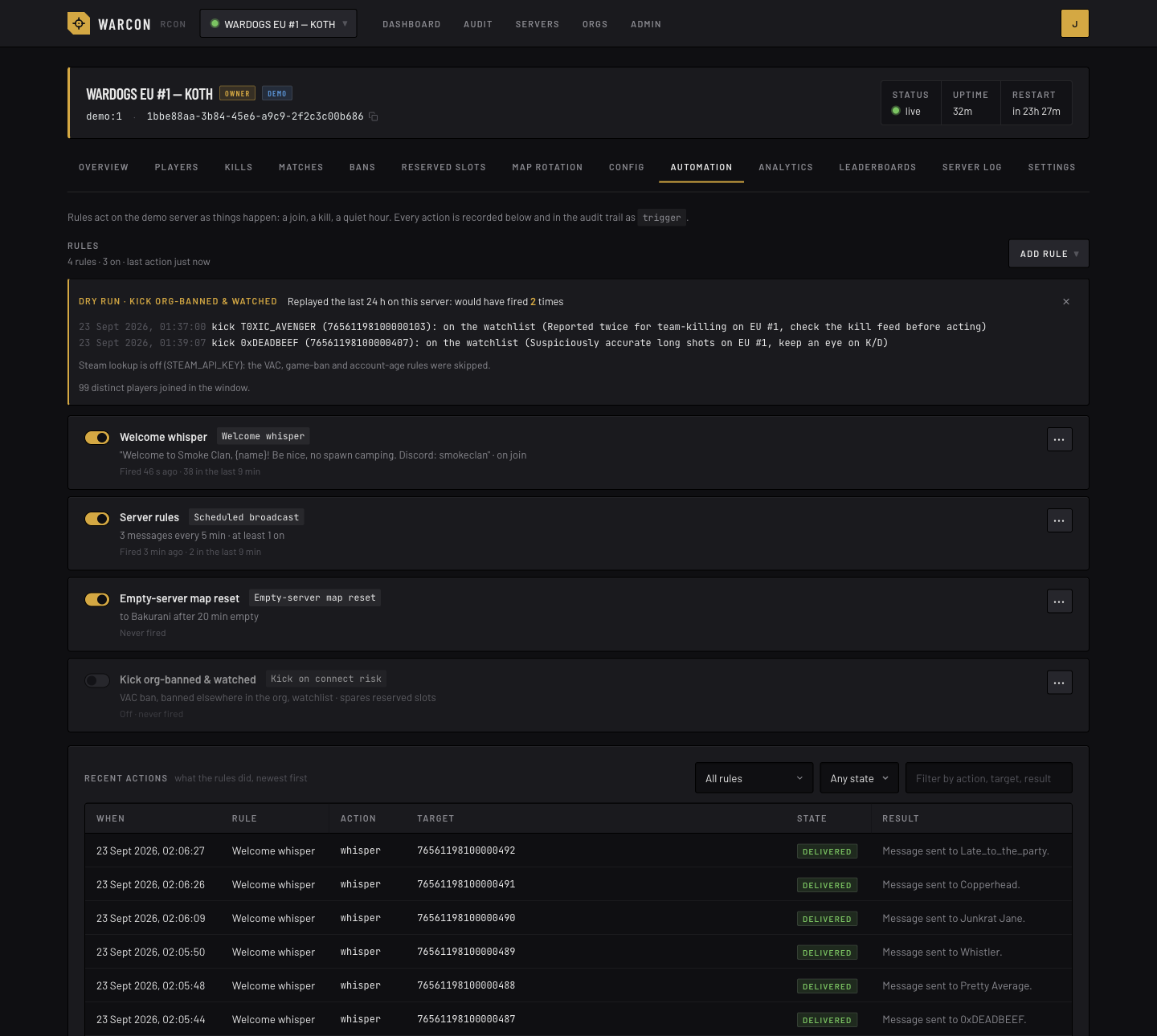
Welcome whispers, scheduled broadcasts, a map reset when the server empties, kick-on-connect rules and a name filter. You can try each rule against the last 24 hours before switching it on, and everything it does is logged.
Keep one ban list and one reserved-slot list for the organisation, with reasons and expiry dates, and the worker applies them on each of your servers.
Post chosen audit events to a channel, get told when a watched player joins, or keep a live status card for each server that updates in place.
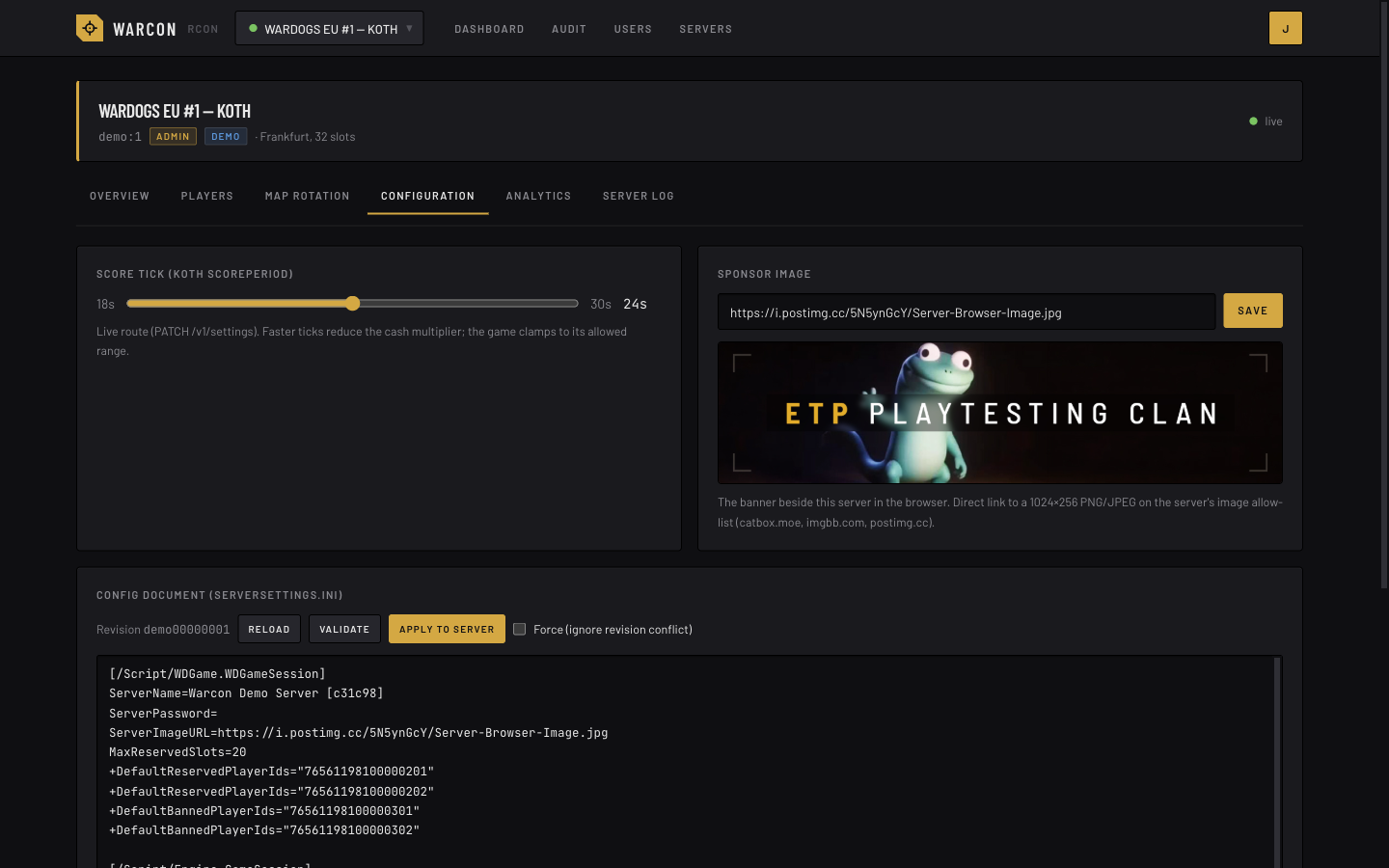
Status and scoreboard, kick, ban, kill, whisper, change team, broadcasts, map and match control, rotation editing, reserved slots, score tick, sponsor image, and ServerSettings.ini with validate and apply.
The web app serves the pages and holds the sessions. A separate worker process makes the calls to each game server’s RCON listener, checks each server every second or two while it is busy and less often when it is empty, and records what the game does not keep. It is all stored in Postgres; on TimescaleDB, older samples are compressed.
Run it beside the game server, on a VPS, or on a container host. It only needs to reach the RCON port, directly, over a private network, or through a TLS proxy on the game host.
The protocol was reverse-engineered from the official console and is documented in the repository. A game update can change it, so something may break until Warcon catches up.
Docker Compose starts the web app, the worker and a TimescaleDB database, and applies migrations first. Open the URL, create the owner account, add a server, and send your admins an invite link. A built-in demo server lets you look around before you enter a real password.
git clone https://github.com/warcon-app/warcon.git warcon && cd warcon
cp .env.example .env
# set BETTER_AUTH_SECRET, ENCRYPTION_KEY and RELAY_SECRET to `openssl rand -base64 32` values,
# POSTGRES_PASSWORD, and ORIGIN to the URL people will open
docker compose up -d
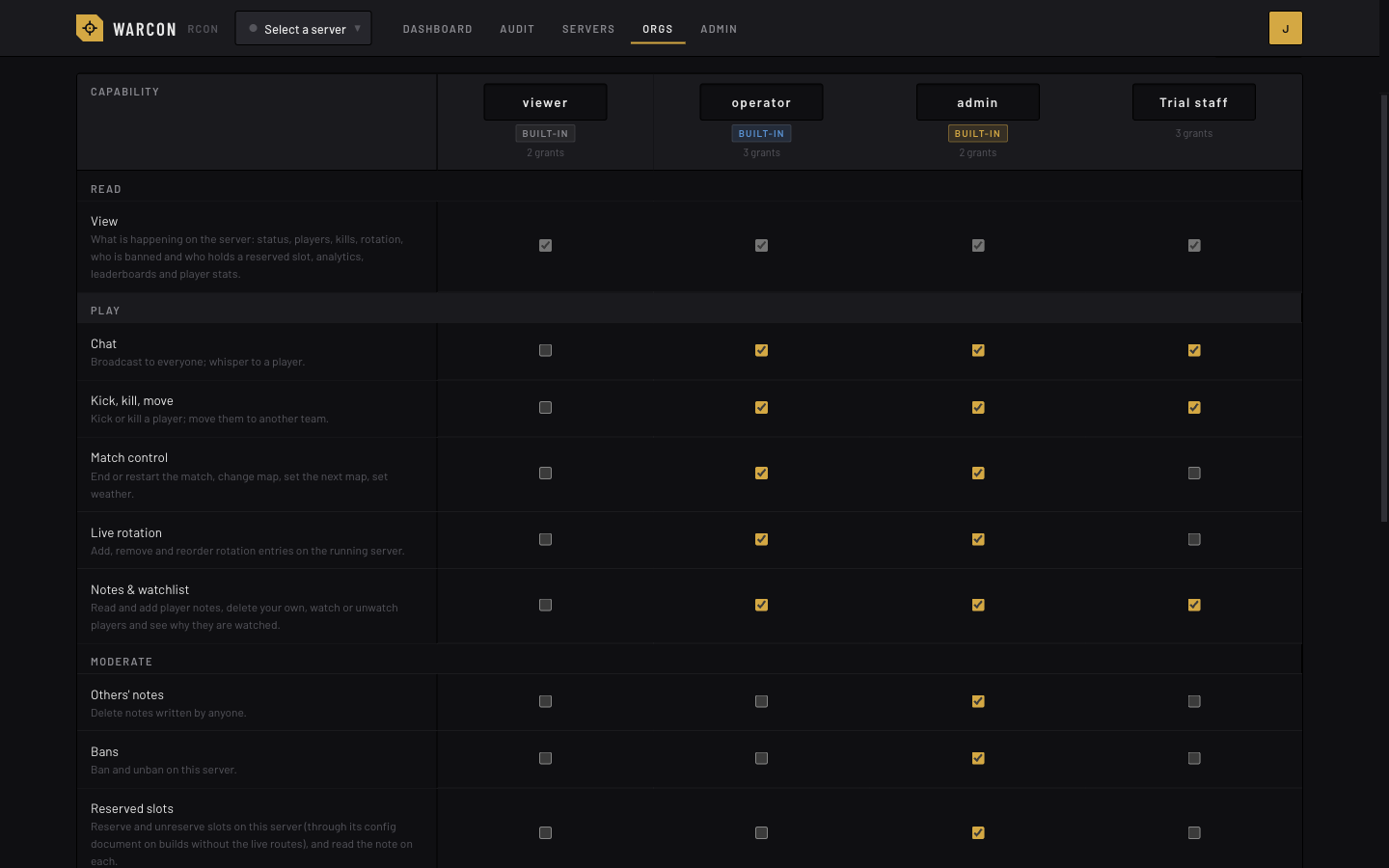
Roles are per server, so a member can be admin on one server and viewer on another. Each organisation starts with the three roles below. Its owners can change what each one allows, or add their own, such as a trial role that can kick but not ban.
| Actions | viewer | operator | admin | org owner |
|---|---|---|---|---|
| Status, players, kills, rotation, bans and reserved slots, analytics, leaderboards, player stats | ✓ | ✓ | ✓ | ✓ |
| Broadcast, whisper, kick, kill, change team, match and map control, live rotation edits, player notes and the watchlist | · | ✓ | ✓ | ✓ |
| Bans, reserved slots, the organisation’s ban and reserved-slot lists, saving the rotation, config and settings, automation, everyone’s audit trail and the server log, raw RCON | · | · | ✓ | ✓ |
| Servers, members, roles, invite links and Discord webhooks; the organisation’s audit trail | · | · | · | ✓ |
MIT licensed. Issues and pull requests welcome. Security reports go through GitHub’s private vulnerability reporting.
Ask questions, report problems and talk to the people building and running Warcon.
The endpoints the official console uses, as far as we have worked them out, written down so you can build your own tools too.
The community server list, so players can find your server.